
A planned departure has two practical outcomes: the person’s access ends at the authorised time, and the business can continue its work using the records it is entitled to keep. Deleting an account alone does not establish either outcome.
This checklist helps a manager brief IT before an employee leaves. It is a suggested planning process, not an account-deletion procedure or employment-law advice. The people responsible for the departure, records and privacy must decide the actual timing, scope and recipients.
1. Put one person in charge of the handover
Record a business owner, an IT contact, the agreed access cut-off with its time zone, and the successor for each continuing responsibility. Include an escalation contact if a decision is missing when the cut-off arrives. Keep sensitive departure details out of broadly shared tickets.
Fictional example: a coordinator manages a bookings mailbox, recurring meetings and a vendor portal. The manager identifies who takes over each task. IT then checks the approved access and preservation plan. This example describes no real employee or completed offboarding.
2. Inventory work that depends on the person
List work identities, business applications, company devices, shared credentials, scheduled reports and important recurring commitments. Ask who owns each service and whether its access comes from the main identity system or a separate login. Include supplier portals and recovery contacts; they are easy to miss if the checklist covers only email.
Microsoft’s offboarding overview treats sign-in, mailbox preservation, devices, data handover and account or licence removal as separate tasks. For synchronised hybrid accounts, its guidance also identifies the local Active Directory service as the place to delete or restore those identities. Ask IT which environment applies before choosing a procedure.
3. Decide what must be preserved before destructive changes
The responsible records owner should specify what business material is required, why it is needed, where it belongs and who may access it. Resolve applicable retention or hold requirements through the organisation’s existing process. Do not invent a retention period or treat an entire mailbox as material every successor should read indefinitely.
Microsoft documents mailbox preservation options that depend on permissions and the chosen arrangement. Have the authorised administrator confirm the appropriate method and licensing before deleting anything. A generic export is not proof that all compliance requirements have been met.
For files, define what a successful handover must preserve. Microsoft’s OneDrive handover instructions warn that the documented move-or-copy process transfers only the latest version. If earlier versions matter, IT needs a preservation method that covers them. See also how sync, version history and backup differ.
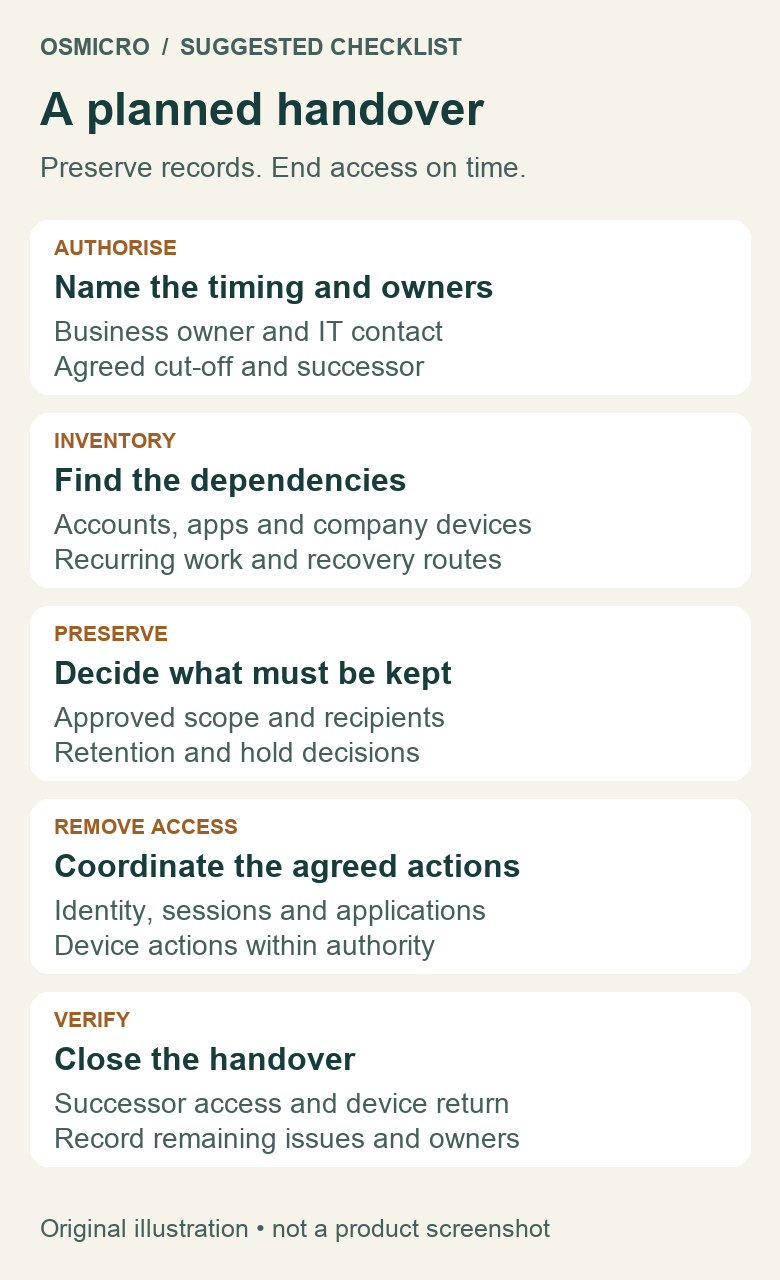
4. Coordinate access removal at the agreed time
Have IT apply the approved identity, session, application and device actions for the actual environment. Microsoft’s access-removal guidance distinguishes password reset, session sign-out and sign-in blocking, and describes timing limitations. Do not promise that one click instantly terminates every session everywhere.
Check separately managed services against the inventory. Review shared credentials the person could retain and arrange any required changes through the approved process. For devices, distinguish company property from personal property and identify the permitted management action. Do not indiscriminately wipe a personal device.
If preservation work is unfinished, escalate it rather than silently extending access past the authorised cut-off. Access removal and record preservation need coordination; neither should become an excuse to ignore the other.
5. Verify the successor can do the work
Ask the successor to open an agreed business file and check the required mailbox, calendar or application using their own approved access. Confirm who will respond to continuing requests. Any forwarding or delegated access needs a defined recipient and purpose, with a review date; do not forward everything to an arbitrary address.
Record device return, completed access actions, preserved locations and unresolved items with their owners. Only remove licences or delete accounts after IT has checked the preservation and service dependencies. Keep the record useful without copying private content or credentials into it.
A finished handover leaves clear evidence of what was checked and what still needs attention. Osmicro’s managed IT team can help translate that business plan into coordinated technical work.
Microsoft references checked 1 November 2026. Apply the organisation’s current records, privacy and access policies to each departure.