
A renewal notice lands in your inbox with a service name, a due date and an amount to pay. You cannot remember buying it. It might be a directory listing, a software subscription or a domain name that looks almost like yours.
Before paying, establish what was actually ordered, who authorised it and whether the request comes from the genuine provider. Before calling to cancel, check the account independently. Some fake renewal messages are designed to get you on the phone.
Work out what the notice is asking you to do
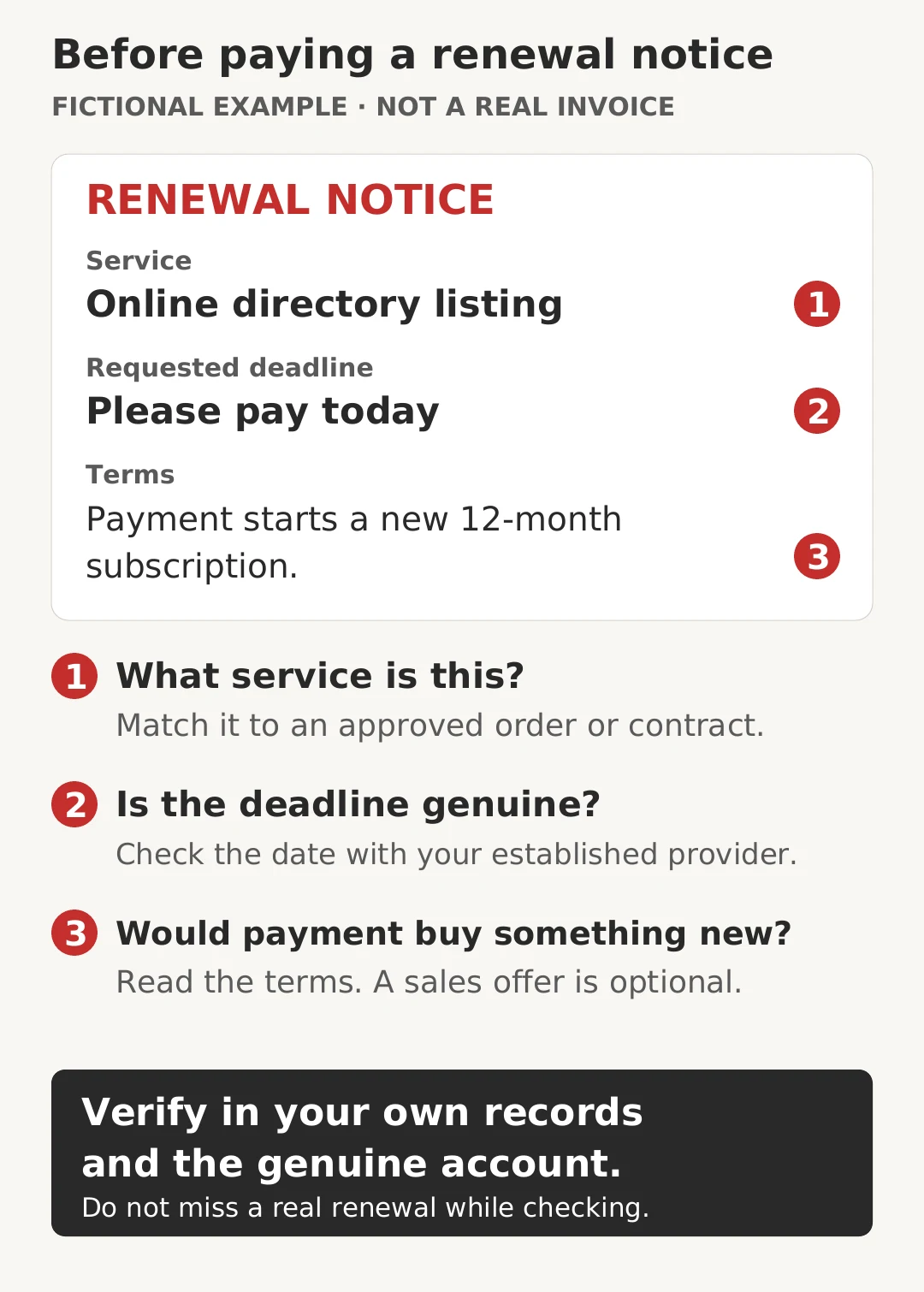
Scamwatch’s business scams factsheet describes directory subscriptions presented as invoices and domain notices that encourage businesses to buy a different service. It is an older overview. Common patterns to distinguish include:
- A payment demand for an unrequested service: someone claims you owe for a listing, advertisement or subscription you never authorised.
- A sales offer dressed as a renewal: paying would buy a new service or move you to another provider.
- A fake purchase notification: the message says a charge has occurred and urges you to call for a refund.
A forgotten legitimate purchase is also possible. An unfamiliar business name may belong to a reseller or billing company. Treat uncertainty as a reason to investigate, rather than proof of fraud or a reason to pay.
Check the order, account and provider
- Pause the payment request. Do not use its payment link, QR code, attachment or cancellation number to investigate. Keep the message for your accounts or IT team.
- Find your own records. Check the purchase order, contract, previous invoices and subscription register. Ask the person responsible for that service whether they approved it, including a trial that converted to a paid plan.
- Open the genuine account separately. Use your normal app or saved bookmark. Compare the exact service, account, renewal period, amount and provider. If the message claims you were charged, check your bank or card account through its usual app too.
- Resolve mismatches through a trusted contact. Use an established supplier contact or independently verified official website, not details supplied by the questionable notice. A missing invoice in one account is a clue, not conclusive proof: someone else may manage the subscription.
- Record the outcome. Confirm whether it is a genuine renewal, an optional offer, a billing dispute or suspected fraud. Route a verified bill through normal approval controls. Keep unresolved requests out of the payment run while the responsible person checks them promptly.
For domain renewals, compare the exact name
Check every character and the ending. A notice for a similar name with a different extension does not renew the domain your website and email use. Also check whether the item is domain registration, hosting, a directory listing or another service.
Use your established registrar or reseller account to confirm the provider and expiry date. If your IT provider manages the domain, ask them to verify it through their records. A reseller’s name can legitimately differ from the registrar’s.
auDA’s renewal guidance explains that .au providers send reminders as expiry approaches. Ignoring a real expiry can interrupt website and email services. Check the genuine renewal promptly rather than deleting every reminder.
auDA also warns about messages impersonating auDA that demand urgent verification to avoid disruption. Independently contact auDA if you need to check a message claiming to come from it.
Read the description and terms
Look for wording such as an invitation to subscribe, a new listing, or a transfer of service. An invoice number and a due date do not establish that you agreed to buy something.
The ACCC’s guidance on unrequested products and services says consumers and businesses do not have to pay for genuinely unsolicited supplies. It also explains the specific rules for unauthorised listings and advertisements, and notices that state: “This is not a bill. You are not required to pay money”.
Do not use that guidance to dismiss an existing contract or an auto-renewal you previously accepted. If authorisation or liability is disputed, gather the records and get appropriate advice. Do not ignore formal legal documents or deadlines. This guide is a checking workflow, not a ruling on a particular debt.
Do not call the notice to cancel a mystery charge
Scamwatch’s July 2026 fake purchase callback alert includes software renewals and annual subscription messages. The phone call can lead to requests for banking details, remote-access software or money supposedly needed to correct a refund.
Check the real account first. Never install remote-access software, disclose a password or one-time code, or transfer money because a caller says it is needed to cancel an unexpected charge.
If you already paid or shared details
If you allowed suspicious remote access, disconnect the affected device from the internet and contact IT using another device. Do not use the affected device for banking until it has been checked.
Contact your bank or card provider immediately using its official app or a trusted number. Explain what happened and ask about stopping the transaction. Recovery is not guaranteed. If you disclosed credentials or allowed remote access, contact IT promptly and describe exactly what you did.
Keep the message and payment records without reopening suspicious files. Follow Scamwatch’s recovery and reporting guidance, and warn the person who approves payments so the same request is not processed again.
Make renewals easier to verify next time
Keep a shared register of approved services, responsible staff, genuine providers, renewal dates and cancellation terms. Use cyber security awareness training to practise checking unexpected requests without pressure.
Where the service is genuine but the payment details have changed, follow our separate guide to verifying supplier bank-detail changes. Confirming that a bill is owed and confirming where to pay it are both necessary checks.