
An important business service becomes fragile when its login depends on one person’s memory, private inbox or phone. The team may know the password and still have no authorised way to recover the account when that person is away.
Start by identifying the business owner and the service’s supported access model. A shared password is sometimes a legacy constraint, but it should not become the default for every service. This is a suggested review process, not a requirement to buy a new password manager.
1. Record responsibility without recording secrets
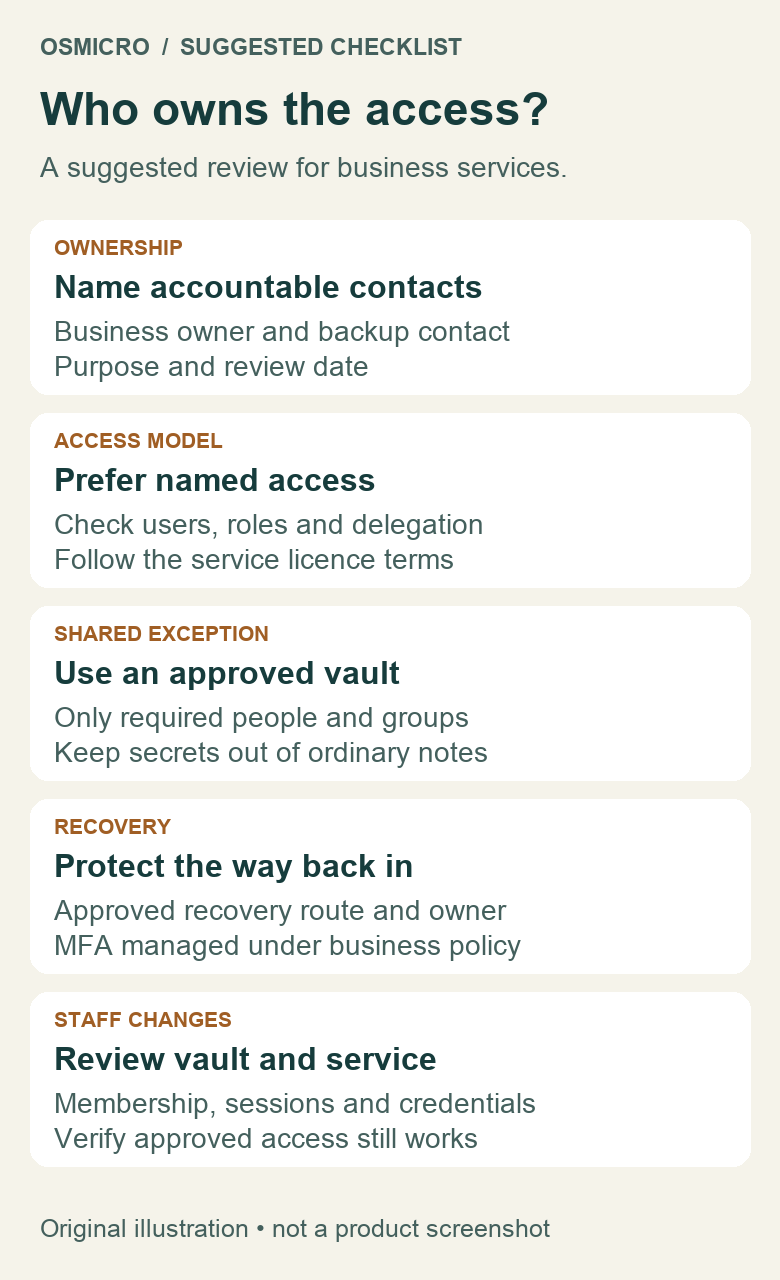
Keep a restricted service register with the service name, purpose, business owner, backup contact, approved access method and review date. Record where the protected recovery procedure is held, rather than pasting its secrets into the register. A primary and backup owner is a useful suggested arrangement; it is not a claim about an existing company policy.
The business owner decides who should have access. An administrator implements the approved changes. The backup contact needs a documented route to help, not automatic permission to every account or vault. Keep these responsibilities separate when the service allows it.
2. Prefer individual access where the service supports it
Check the vendor’s current documentation and your subscription for named users, delegated roles or single sign-on. Give each person the access needed for their job, and keep administrator access limited. Do not share a personal account or use a vault to avoid the service’s licensing rules.
A shared resource does not always require a shared login. For example, Microsoft says a Microsoft 365 shared mailbox is accessed through delegates’ own mailboxes with appropriate permissions. Its associated account is not intended for direct sign-in and should remain blocked. Have IT check the relevant licence and mailbox requirements rather than distributing a common password.
Fictional example: a team uses a legacy bookings portal with one permitted business login. It documents an owner and approved recovery route. A separate email service supports delegated access, so each employee uses their own identity there. The legacy exception does not become the rule for both services.
3. Control unavoidable shared credentials
If shared access is permitted and necessary, use the business’s approved password manager and a vault limited to the people who need it. Avoid a company-wide vault just because it is convenient. Keep passwords and recovery codes out of email threads, tickets, screenshots and the ordinary service register.
As one documented example, 1Password organisation vaults can grant access to people or groups, with permissions that differ between Teams and Business. Managing a vault does not itself grant permission to view its contents. Check actual membership, group access and permissions instead of assuming a job title establishes access.
A vault controls access to the stored item. It does not change the underlying website’s user model, contractual terms or available audit trail. Keep that distinction visible in the service register.
4. Make recovery an authorised process
Identify who may request recovery, what verification the vendor requires and which approved business-controlled contact receives the request. Review dependencies on a departing person’s private email or phone. Change recovery details only through an authorised process that preserves a working route back in.
Document where required MFA devices or protected recovery material are managed, who may use them and how absence is handled. Do not disable MFA to make sharing easier or distribute a personal authenticator’s codes. If the supported recovery arrangement cannot meet the business need, ask the vendor or IT owner for a supported alternative.
Use a planned, non-disruptive review to confirm that the responsible people understand the procedure. Do not trigger a production reset merely to prove the checklist exists. An unexpected approval request still needs investigation; see what to do about an MFA prompt you did not start.
5. Review both vault and service access when staff change
Removing somebody from a vault is not proof that they can no longer use a password they previously copied. 1Password’s business security guidance separately addresses changing credentials for external services during offboarding. Review the target service’s users, active sessions and recovery options as well as vault membership.
Plan any required credential change with the service owner so scheduled work and authorised users continue functioning. Update the protected item, verify the approved access route and record completion without recording the secret. Revisit the arrangement when the vendor adds better access controls or the team changes.
Choose one critical service to review first. An accountable owner, a supported login model and a workable recovery route make a useful starting point. Osmicro’s managed IT team can help assess the dependencies and coordinate approved changes.
Microsoft and 1Password references checked 2 November 2026. Product capabilities and permissions depend on the service, plan and configuration.