
Your manager needs gift cards before a meeting. Someone from IT says your account is under attack and asks for a sign-in code. A caller wants remote access to fix an urgent problem.
These requests put staff under pressure to be helpful. Before you spend money, share access or install anything, pause and verify the specific request through an established contact route.
Three requests that deserve an immediate pause
- “Buy gift cards and send me the codes.” An unexpected instruction to buy cards, photograph their redemption details and claim reimbursement later is a major warning sign. The US Federal Trade Commission describes this boss-impersonation pattern. Sending the card number and PIN can let someone take its value. A legitimate staff-gift purchase still needs the normal approval process.
- “Read me your sign-in code.” Do not share passwords or sign-in/MFA codes, or approve a sign-in you did not initiate. A caller claiming to be IT does not change that. The ACSC’s MFA guide explains that sharing a code or approving an unknown attempt can give someone access to your account.
- “Install this so I can fix your computer.” Stop before downloading, installing or granting screen access in response to an unverified request. A genuine remote-support app can still be misused. Do not install it to test whether the caller is legitimate.
A fictional message, with the pressure points marked
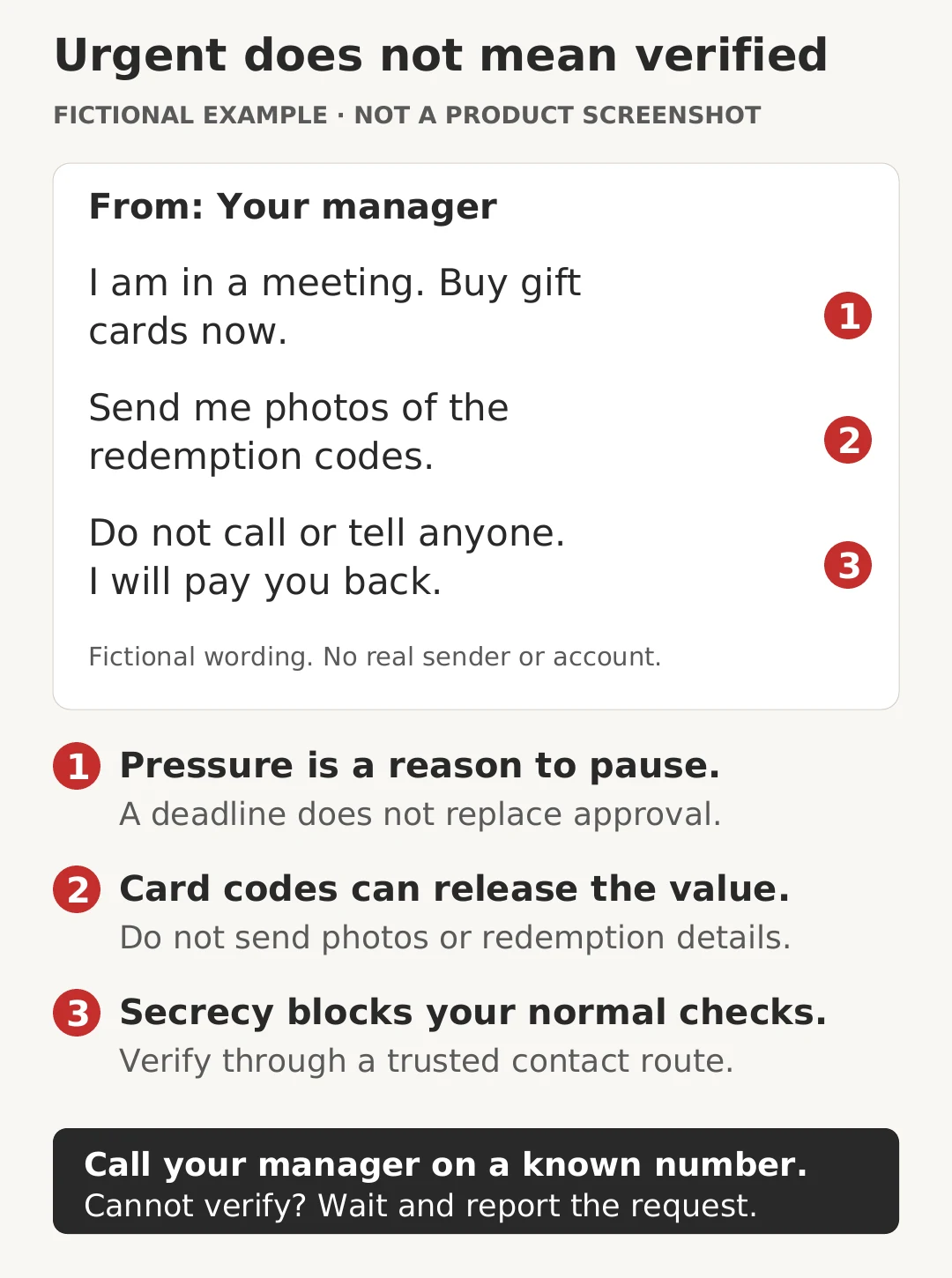
The example combines authority, urgency and secrecy. The request to send redemption codes makes the action financially risky, while “do not call” removes the easiest check. Do not let a deadline or a promise of reimbursement replace approval.
For an IT variation, the pressure might be “your account will be disabled unless you approve this prompt”. ACSC social-engineering guidance explains how attackers impersonate colleagues and service-desk staff, and use fear or authority to rush decisions.
A familiar identity is not enough
Scamwatch’s small-business guidance warns that phone numbers, email addresses and message identities can be spoofed, and voices can be cloned with AI. Real accounts can also be compromised.
A correct name, familiar profile photo or convincing voice does not prove who is making the request. Neither does a reassuring reply from the same account. Check the action independently instead of trying to judge whether the voice sounds artificial.
Verify through a route you already trust
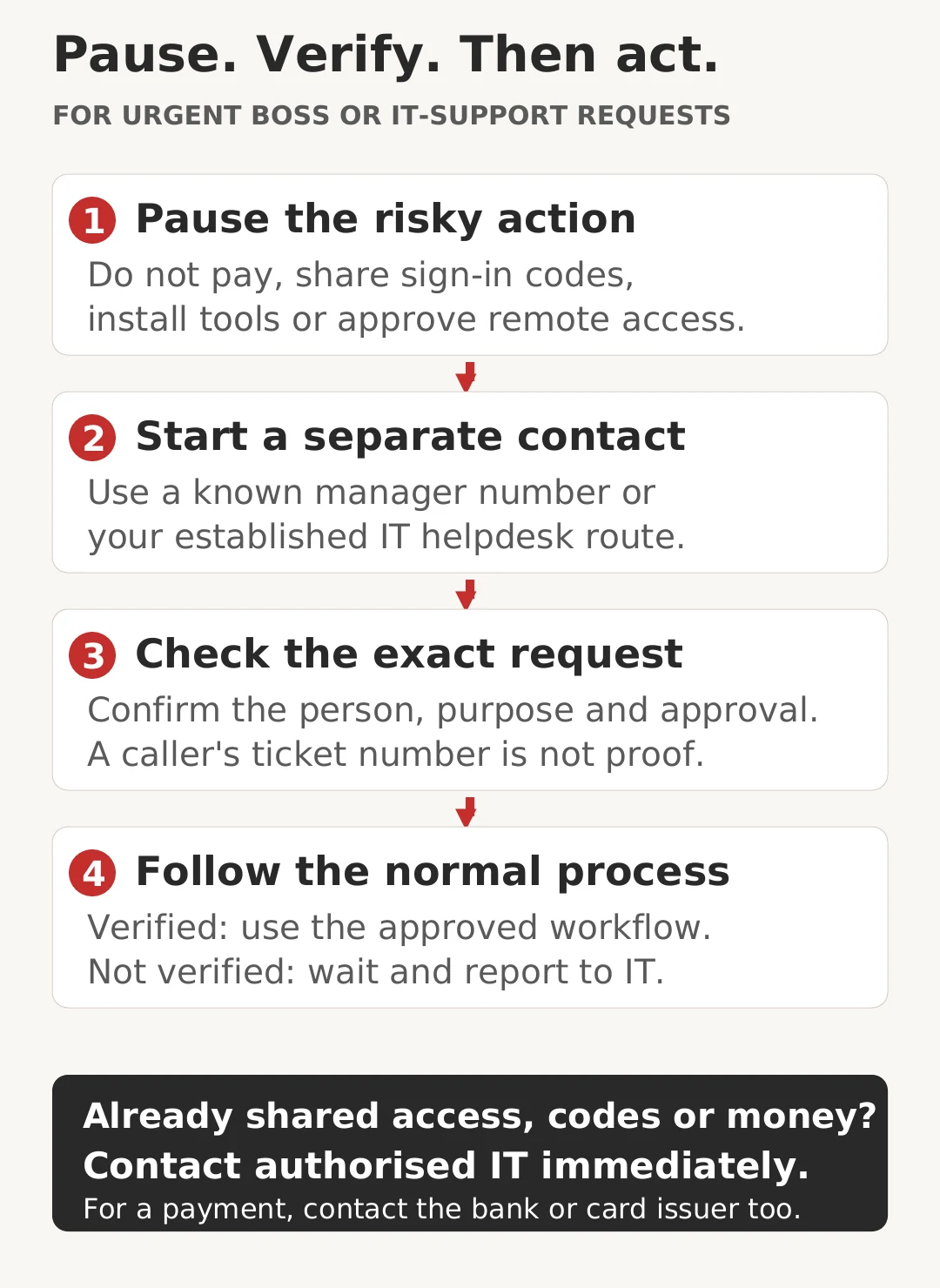
- Pause the action. End an unexpected call if necessary. Do not reply with a code, click a supplied support link or send a “small test” payment.
- Start a separate contact. Call your manager using an existing trusted number, speak in person, or contact IT through your established helpdesk. Do not use the new number or link in the suspicious message.
- Check the exact request. Ask what is needed, why, and whether the usual approval or support process has been followed. For IT, confirm the technician and the reason for the session through that trusted route. A ticket number quoted by the caller is not proof on its own.
- If you cannot confirm it, wait and report it. Use your workplace’s escalation process. If confirmed, continue through the normal approved workflow, not a shortcut supplied by the suspicious message.
What about genuine IT support?
Your authorised IT team may contact you and may legitimately use remote assistance. The important check is whether the person, purpose and session are authorised, not whether a tool has a familiar name.
Microsoft’s Quick Assist guidance says to allow a helper only after contacting Microsoft or your IT support directly. For an unexpected approach, establish that trusted contact before continuing.
A support-session joining code is different from your account’s sign-in/MFA code. Only use session codes within a verified, approved support process. Never disclose your password or sign-in code to prove your identity to a caller.
If you already acted, report it now
Tell IT or your manager what happened, including the time, device, account and actions taken. Keep the message and relevant receipts. Do not reopen links, reinstall tools or forward the message around for colleagues to try.
- Sent money or gift-card details: contact your bank and/or the gift-card issuer immediately through verified support details. Keep the card and receipt and ask whether funds can be stopped or recovered. The FTC’s gift-card recovery advice recommends prompt issuer contact; recovery is not guaranteed.
- Shared a password or code, or approved unexpected MFA: contact IT immediately. Use the official service for recovery. IT may need to reset credentials, end sessions and review authentication methods and mailbox rules, as covered in ACSC account-recovery guidance.
- Allowed remote access or installed software: end the session and contact authorised IT immediately using another trusted device. If compromise is suspected, disconnect the affected device from networks and let IT direct recovery, following ACSC malware guidance. Closing the window alone does not establish that the device is safe.
Make checking a normal part of work
Keep verified manager and helpdesk details accessible, and make it clear that staff can pause an unusual request. Our guide to verifying supplier bank-detail changes applies the same independent-check habit to payments.
Osmicro’s cyber security awareness training helps teams recognise suspicious requests and practise reporting them before a real incident.
Sources checked: 23 October 2026. General prevention and response guidance, not a report of an Osmicro customer incident.